
Anime Shimeji, Pet On Screen
EVER PROFIT INDUSTRIAL LIMITEDPersonalization
0.00.00 Reviews
- Version
- 0.0.6
- Installs
- 50.00K
- Age Rating
- Everyone
Screenshots
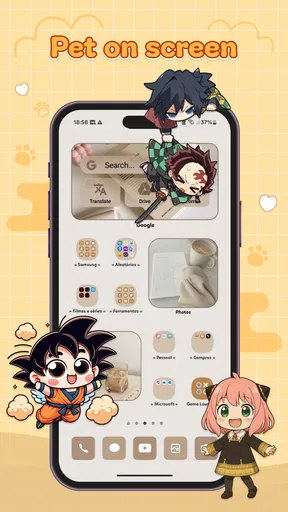
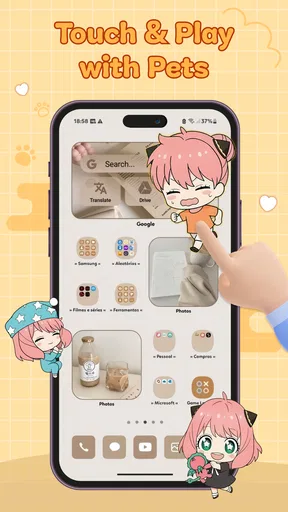
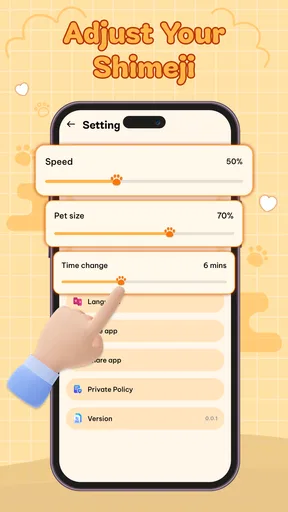
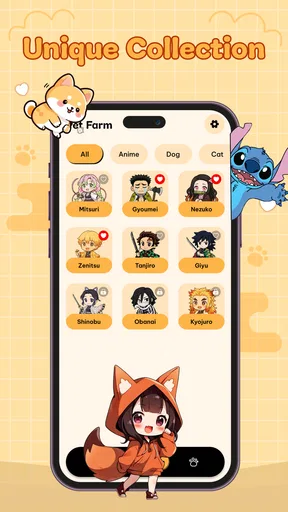
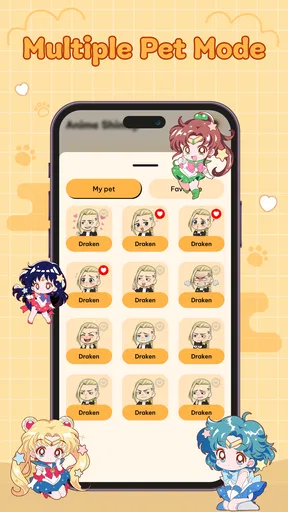
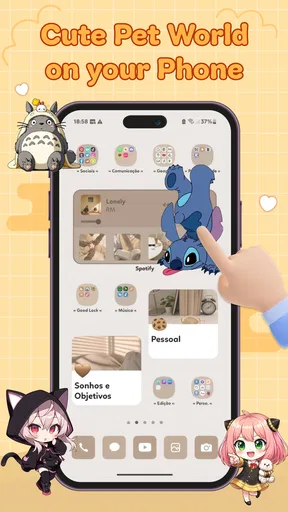
Our Review of Anime Shimeji, Pet On Screen
 Analysis by Appyee
I tried Anime Shimeji as a small personalization app rather than treating it like a conventional game, and that distinction matters. Its purpose is to place anime-style shimeji pets on the screen so they can move around while you use the device. The appeal is simple: instead of changing only a wallpaper or icon theme, you get a little animated presence that shares the screen with your other activities.
That makes it especially interesting on a household tablet or another device that several people use. One person may want a playful character visible while browsing, another may prefer a clean screen, and a child may enjoy watching the pet wander around without needing a separate game session. In my experience, the app works best when everyone treats it as a decorative companion, not as a full entertainment title with deep objectives.
It is a free Android app in the personalization category, developed by EVER PROFIT INDUSTRIAL LIMITED. The current version is 0.0.6, it requires Android 7.0 or later, and it is marked suitable for Everyone. The release date is May 31, 2026, and it has passed the fifty-thousand-install mark. Those details place it among lightweight, accessible customization tools rather than established social games or large anime collections.
How it fits into a shared device
The most natural household scenario is a tablet left in a living room or kitchen. Someone might be looking up a recipe, checking a calendar, or letting a child watch short videos, while the animated pet remains part of the visible screen. It adds personality without asking the user to stop what they are doing and open a separate game. I can also see it working on a personal phone for a user who likes anime decoration but finds animated wallpapers too passive.
The important trade-off is that a screen companion competes for visual attention. A character moving near buttons or text can be charming for a few minutes and distracting during reading, typing, or navigation. On a shared device, that effect becomes a coordination issue rather than merely a personal preference. Before handing the tablet to someone else, I would agree on whether the pet should stay visible, especially if the next person needs to concentrate.
This is where the app differs from the usual alternatives. A static wallpaper gives a consistent look but has no movement. A launcher theme can change icons and menus, yet it usually does not create the same playful sense of something inhabiting the screen. A standalone anime game offers more interaction, but it also demands attention and often separates the experience from everyday device use. Anime Shimeji sits between those choices: more lively than decoration, less demanding than a game.
That middle position is its main strength and also its main limitation. If you want a calm background, the moving pet may feel unnecessary. If you want a substantial activity, the experience may seem too slight. I would recommend it to someone who specifically enjoys animated screen companions, not to someone searching for a new anime adventure or a complete customization suite.
Setting expectations before installing
The short description, “Anime Shimeji,” is accurate but very brief. I would approach it with the expectation of a focused feature: anime shimeji characters that appear and move on the screen. It should not be judged by the standards of a launcher, a wallpaper editor, or a character-collection game. That expectation prevents the most common disappointment, which is installing it while hoping for a broad set of unrelated personalization tools.
Because the app is free, it is easy to test without making a purchase decision. Still, free does not mean frictionless in practical use. The real question is whether the animated presence improves the way you use your device. On a phone used mostly for messaging and work, I found the novelty could wear off faster than it would on a relaxed home tablet. On a device used for casual browsing, the same movement feels more appropriate.
Android compatibility is reasonably broad because the minimum requirement is Android 7.0. That helps when a household keeps an older spare phone or tablet for children and visitors. I would still check the device’s available storage, available memory, and general responsiveness before making it a shared fixture, because animated screen elements can feel more intrusive on older hardware even when an app technically installs.
Boundaries matter more than customization
One practical point is easy to overlook: a screen pet changes the shared visual environment, but it does not create separate household spaces. If several people use the same Android profile, the person who enables or adjusts the experience may affect what the next user sees. I would therefore decide who is allowed to change the setup and when it should be left alone. That simple agreement is more useful than assuming every user will want the same character visible.
For a family tablet, I would establish a short routine. Set up the pet when the device is being used casually, pause or remove the visual distraction before homework, and return the device to the agreed appearance afterward. This is not a built-in family-control system; it is a household habit. The distinction matters because the app should not be treated as a substitute for Android account separation, supervision, or a parent’s judgment.
There is also a privacy and trust boundary in the way the app is used. I would install it through the normal Android process, review the prompts shown during setup, and avoid granting anything that does not make sense for a simple personalization tool. I would not let a child approve unfamiliar requests just because the characters look friendly. The age label is Everyone, but an age rating is not the same thing as a promise that every setup decision can be delegated to a young user.
On a personal phone, these boundaries are straightforward because one person controls the visual environment. On a shared device, I would keep the app associated with a clearly agreed profile or user routine where possible. If the device has multiple Android users, that separation is preferable to assuming a decoration will remain private to one person. The app itself should be considered part of the visible interface, not a hidden personal note or a private game save.
Coordinating the experience at home
Coordination is particularly important when the device is used for both entertainment and practical tasks. Imagine a child has left the pet moving across the screen, and an adult picks up the tablet to enter an appointment or read a long message. The adult may not object to anime artwork, but movement around controls can make the device feel less predictable. A quick agreement about when the pet is welcome avoids turning a harmless novelty into an argument.
I would also avoid enabling it immediately before a shared activity that requires focus. During a movie, video call, recipe preparation, or schoolwork, the extra animation can compete with the main content. During relaxed browsing or after dinner, it may be exactly the sort of small visual detail that makes a familiar tablet feel more personal. The useful insight is to treat the pet like ambient decoration with an on-duty and off-duty time.
For children, the app can be a gentle way to make an older device feel more inviting. It does not require the child to understand a complex game loop, and the animated character can provide interest during ordinary tablet use. But I would not present it as a reward that controls access to the device. If the pet becomes the condition for completing homework or handing over the tablet, the household may end up negotiating about the decoration instead of the actual activity.
For adults sharing a phone temporarily, the safest approach is to explain that the screen has an animated companion and offer to turn it off if it gets in the way. This is a small courtesy, but it reflects the app’s real nature: it changes how the device feels for everyone looking at it. The person who enjoys anime personalization should not assume the next user wants the same level of visual activity.
Age, trust, and the limits of the label
The Everyone rating makes Anime Shimeji approachable for a broad audience, and the concept itself is easy to understand. There is no need to explain a complicated objective before someone can appreciate a character moving around the screen. That simplicity is a genuine advantage for younger users, older relatives, or anyone who wants decoration without learning another elaborate interface.
Even so, I would keep the installation and initial setup with a trusted adult on a child’s device. The reason is not the anime theme; it is that any app added to a shared device becomes part of the household’s technology environment. An adult can check the installation flow, confirm the app is coming from the intended developer, and decide whether the visual behavior suits the device’s purpose. After that, the child can enjoy the result within the same boundaries used for other apps.
I would also explain that the pet is an on-screen companion, not a person, friend, or messaging contact. That sounds obvious to an adult, but clear language helps younger children understand what the app does and does not do. The app’s charm comes from animation and presence, not from pretending that the character has a real relationship with the user.
Trust also applies to expectations. Since the current version is 0.0.6, I would regard the experience as an early, focused product rather than a mature platform with years of refinement. That does not make it unusable, but it does make patience sensible. A user who needs a highly polished, predictable interface for work should choose a static personalization option instead. Someone comfortable trying a small and playful app may find the early simplicity appealing.
Where it beats static decoration
The strongest case for this app is emotional rather than technical. A static wallpaper can match a favorite color or character, but it becomes part of the background very quickly. A shimeji pet creates small moments of movement that make the device feel less impersonal. On a tablet that normally sits unused between tasks, that liveliness can make picking it up feel more inviting.
It also avoids the commitment of a full game. I do not need to learn controls, manage a progression system, or reserve a block of time for it. I can use the device normally while the character provides a little visual company. That makes it a better fit for short, casual interactions than an anime game designed around active play.
Compared with a live wallpaper, the appeal is more immediate because the pet appears to occupy the screen as a separate little presence rather than simply animating the background. The downside is that this can make the movement more noticeable. A live wallpaper may remain behind an app and become easy to ignore, while a screen companion is designed to be seen. Users who are sensitive to motion or easily distracted should think carefully before choosing this style.
Compared with a launcher or icon pack, Anime Shimeji is narrower but easier to understand. It does not need to reorganize the whole phone’s visual identity to make an impression. That narrow purpose is useful for someone who likes the existing launcher and only wants one playful addition. It is less suitable for someone who wants every part of the interface to share the same anime theme.
Small workflow improvements I would use
My first practical tip is to test it during the exact activity where you expect to use it. Do not judge it only from the setup screen. Open the apps you normally use, type a message, scroll through a page, and see whether the pet remains enjoyable or starts pulling your eyes away. This reveals a real trade-off that a store summary cannot show: the same movement can be delightful during casual browsing and irritating during focused work.
My second tip is to choose a default household rule before children or guests use the device. For example, the owner can decide that the pet is visible during leisure time and hidden during schoolwork. The rule does not need to be complicated. What matters is avoiding the assumption that a personalization choice made by one person automatically suits everyone else.
My third tip is to keep the app conceptually separate from account security. Do not use the presence of the pet as evidence that a child has a private space, and do not assume that a shared screen means shared access should extend to personal accounts. Use the device’s normal Android profiles, locks, and supervision practices for those needs. The app changes the appearance of the screen; it does not replace those protections.
A fourth useful habit is to remove the visual companion temporarily before troubleshooting another app or asking for technical help. If the screen feels cluttered or another person reports that something is covering a control, returning to a simpler setup makes it easier to identify the source of the problem. This is not a criticism of the app so much as a sensible diagnostic step for any screen-level decoration.
Who should choose it, and who should skip it
I would recommend Anime Shimeji to anime fans who want their phone or tablet to feel animated without turning personalization into a major project. It is also a good match for a relaxed household device where people enjoy small decorative touches and can agree on when the pet should be visible. The free price lowers the barrier to experimenting, while the Everyone rating makes the basic concept accessible across ages.
I would be more cautious about recommending it for a work phone, a study-first tablet, or a device used by people with very different preferences. If the screen must stay visually quiet, a static wallpaper is the better choice. If someone wants deep customization, a launcher or icon pack will probably deliver more control. If the goal is sustained play, an actual anime game will offer a more meaningful activity than a moving companion.
I would also skip it when the device is already slow, crowded, or difficult for several people to navigate. Even a small decorative addition can feel like one more thing competing for attention. On a newer personal device, that trade-off may be easy to accept. On an older shared tablet, simplicity may be more valuable than charm.
My household verdict
After using it as intended, I see Anime Shimeji as a focused personalization experiment with a clear audience. It succeeds when the user wants a visible anime companion rather than another wallpaper, another launcher, or another game. Its best quality is the way it adds character to ordinary device use without demanding a separate play session.
My recommendation comes with one condition: decide who controls the screen and when the animation is appropriate. In a personal phone, that is easy. In a shared household, the app works better when adults establish simple boundaries, children understand that the pet is decoration rather than a private account, and everyone knows it can be turned off for tasks that require concentration.
For a free app from EVER PROFIT INDUSTRIAL LIMITED, the focused idea is appealing, particularly for users who enjoy anime-themed personalization and want something more lively than a still image. I would not call it a universal customization solution, and I would not install it on every device in the home. But on the right phone or relaxed shared tablet, the moving pet can make everyday screen time feel noticeably more personal.
My final view is positive but specific: try it if animated shimeji companions are the feature you actually want, test it during real household activities, and keep a quieter alternative ready for work, study, or users who dislike motion. That approach gives the app room to be fun without asking it to solve problems it was never designed to solve.
Verdict
Strengths of Anime Shimeji, Pet On Screen
- Cute anime companions animate your home screen with playful interactions.
- Wide variety of characters and styles to suit different anime tastes.
- Simple setup makes adding and managing pets quick for most users.
- Pets can provide a fun, personalized touch without replacing your launcher.
- Light entertainment that is easy to enjoy in short sessions.
Limitations of Anime Shimeji, Pet On Screen
- Some characters or features may require in-app purchases to unlock.
- Animated overlays can distract from other apps or screen content.
- May use extra battery while pets remain active on screen.
- Permissions for displaying over other apps may concern privacy-conscious users.
- Performance can vary on older phones, especially with several pets enabled.
Other Releases by EVER PROFIT INDUSTRIAL LIMITED
View All
Flower vs zombie: City Defense
Strategy3.7

Cooking Japan: Restaurant Game
Adventure4.5
Similar Picks in This Category
View All
Microsoft SwiftKey AI Keyboard
SwiftKey4.3

Wallpapers
Google LLC4.1

Zedge™ Wallpapers & Ringtones
Zedge4.7

Yandex Browser with Alice AI
Direct Cursus Computer Systems Trading LLC4.3

Ringtone Maker:create ringtone
Big Bang Inc.4.7

Fonts Keyboard
Fonts Keyboard3.9
Frequently Asked Questions
What is Anime Shimeji, Pet On Screen?
Anime Shimeji, Pet On Screen is a customization app that places small animated anime-style characters over your phone’s screen. These virtual pets can walk, climb, jump, and interact with certain areas while you use other apps. It is designed mainly for entertainment and personalization, giving your device a lively appearance without changing the main function of your installed applications.
How do I add an anime character to my screen?
After installing Anime Shimeji, Pet On Screen, open the app and choose a character from the available collection. You will normally need to grant permission for the app to display over other applications. Once that permission is enabled, select the pet or shimeji you want and activate it. The character should then appear as a movable overlay on your home screen and other supported screens.
Does Anime Shimeji, Pet On Screen work while using other apps?
Yes, the main purpose of the application is to keep the animated character visible while you use your phone. Depending on your device, Android version, battery settings, and the permissions you approve, the pet may appear over the home screen, messaging apps, games, or browsers. Some applications can restrict overlays, so the character may occasionally disappear or need to be restarted.
Does the app affect battery life or phone performance?
Because Anime Shimeji, Pet On Screen continuously displays and animates a character, it may use more battery and memory than a static wallpaper. On newer devices, the impact is usually modest, but older or less powerful phones may experience slower performance, increased battery consumption, or occasional animation delays. Disabling the overlay when it is not needed can help reduce resource usage.
Is Anime Shimeji, Pet On Screen free to use and safe?
The app may offer free characters or basic features, while additional pets, customization options, or content can depend on advertisements or in-app purchases. Before downloading, review the current store listing for pricing and permission details. Since the app requires overlay access to function, install it from an official app store, check its privacy information, and avoid granting unrelated permissions that are not necessary for animated screen pets.
